> ## Documentation Index
> Fetch the complete documentation index at: https://rive.app/docs/llms.txt
> Use this file to discover all available pages before exploring further.
# Inputs
> ⚠️ DEPRECATED: Use Data Binding instead of Inputs for controlling Rive animations
export const Apple = {
currentRuntimeName: "New Runtime",
legacyRuntimeName: "Legacy Runtime"
};
**DEPRECATION NOTICE:** This entire page documents the legacy Inputs system.
**For new projects:** Use Data Binding instead.
**For existing projects:** Plan to migrate from Inputs to Data Binding as soon
as possible. **This content is provided for legacy support only.**
For more information on creating Inputs in Rive, please refer to: [Inputs](/editor/state-machine/inputs).
This deprecated feature is only supported in the Legacy Runtime, not the {Apple.currentRuntimeName}.
## Controlling state machine inputs
Once the Rive file is loaded and instantiated, the state machine can be queried for inputs, and these input values can be set, and in the case of triggers, fired, all programmatically.
Inputs can also be set on components at runtime, see [Nested
Inputs](#nested-inputs) below.
### Inputs
Setting input values for state machines goes through the `RiveViewModel` instantiated in the View class.
`.setInput()`
* `inputName` (String) - Name of the input on a state machine to set a value for
* `value` (Bool, Float, or Double) - value to set for the associated `inputName`
`triggerInput()`
* `inputName` (String) - Name of the input on a state machine to trigger
```swift theme={null}
// Example of a number input
starsVM.setInput("Rating Changed", value: 5)
// Example of a boolean input
toggleVM.setInput("Switch Flipped", value: true)
// Example of a trigger input
confettiVM.triggerInput("Celebrate")
```
## Nested Inputs
**⚠️ DEPRECATED FEATURE:** Nested Inputs are part of the legacy Inputs system.
**Use Data Binding instead** for controlling
component properties at runtime.
You can control the inputs of [Components](editor/fundamentals/components) at runtime. These inputs are not on the main artboard but on a component. To set a nested input, you need to know the **path** where the input exists at an artboard level.
#### Example
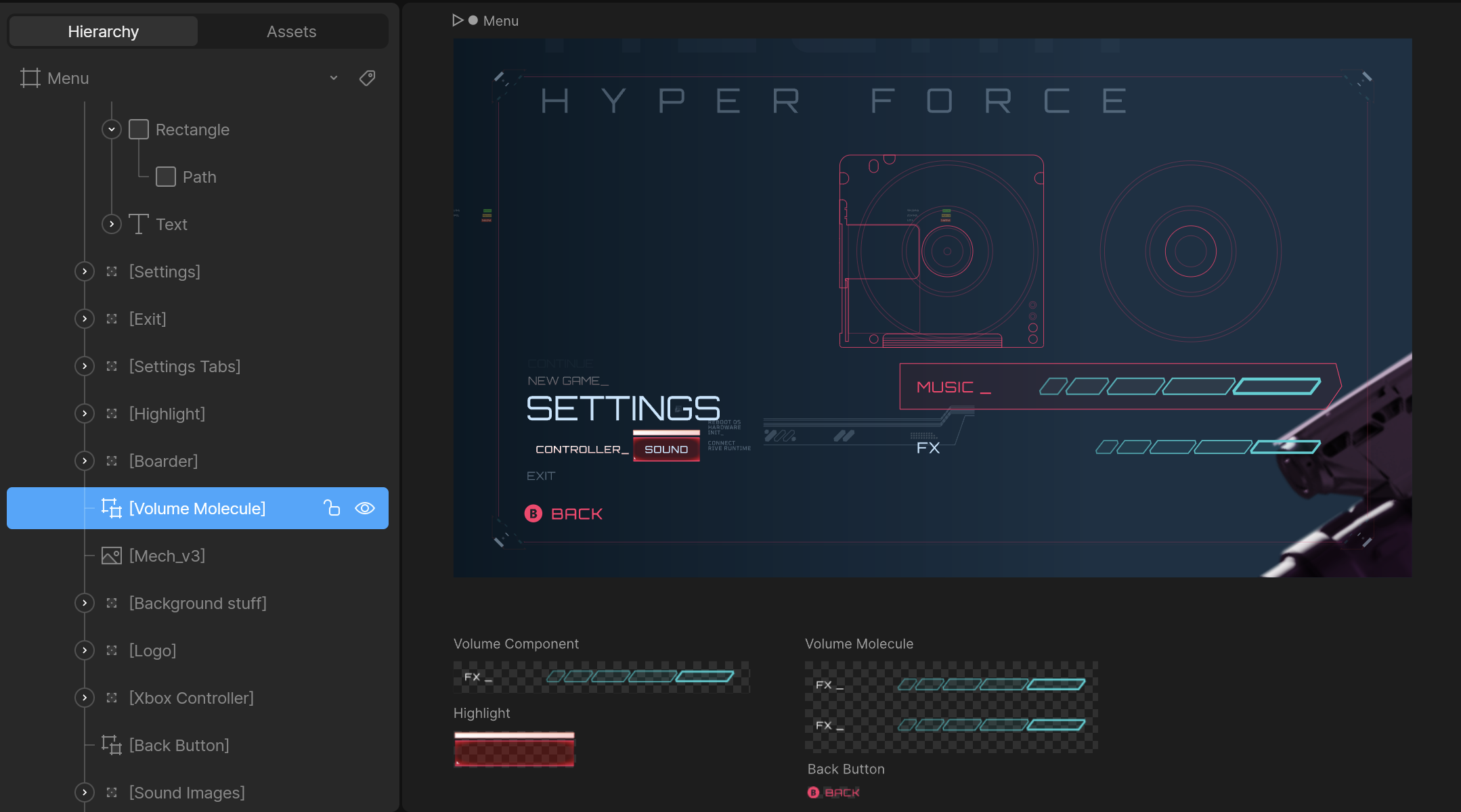
* Use the artboard's unique **hierarchy name**, not the **artboard's name**.
* Do not include the name of the main artboard. In the example above, the path is `Volume Molecule`, not `Menu/Volume Molecule`.
* Ensure the components are [marked as exported](/editor/exporting/exporting-names) in the editor to access them at runtime:
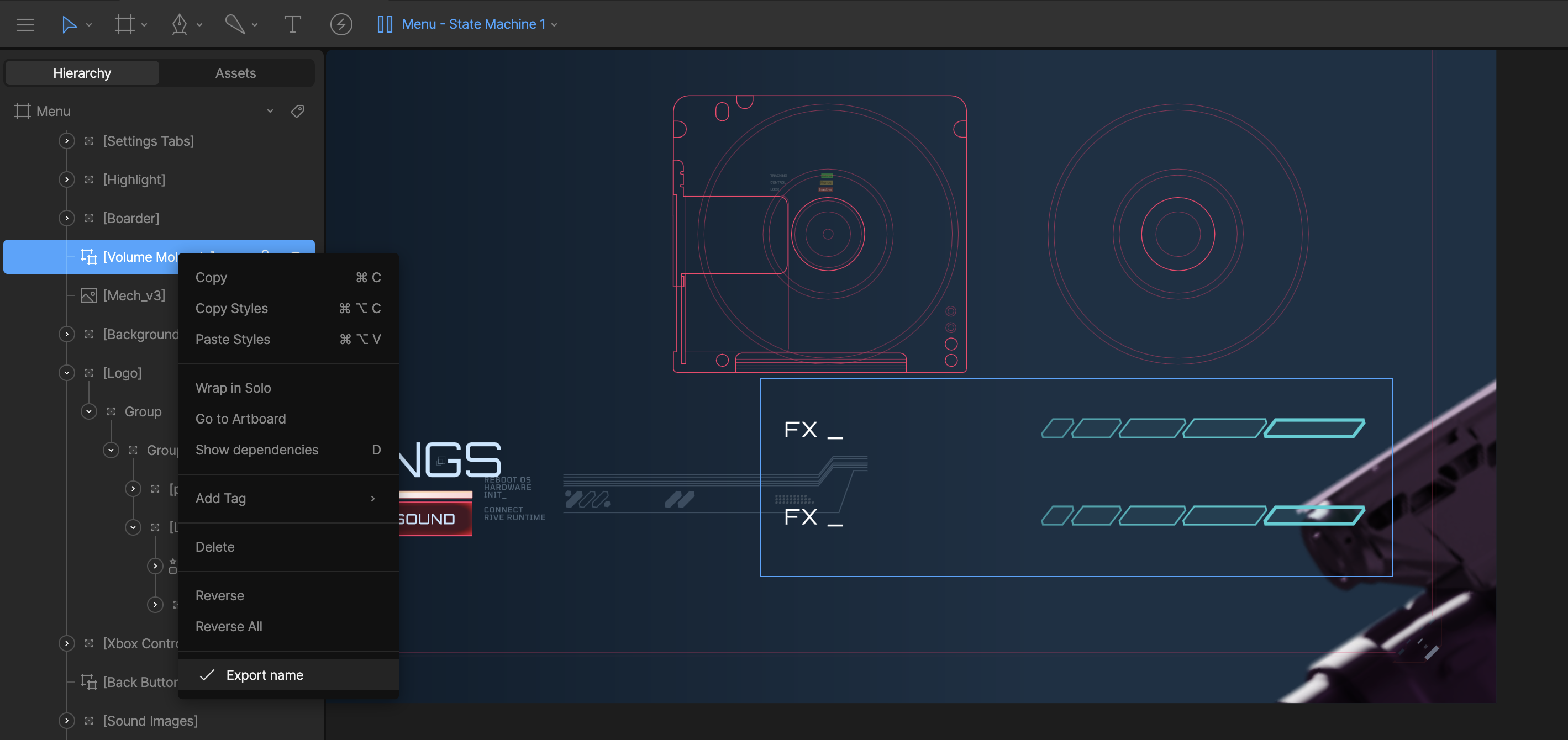
You can go as many components deep as needed. For example, the **Volume Molecule** artboard shown above has two components with the following unique hierarchy names:
* `Volume Component`
* `FX Component`
Once you go more than one component deep the path will be a `/` separated
string of the unique hierarchy names.
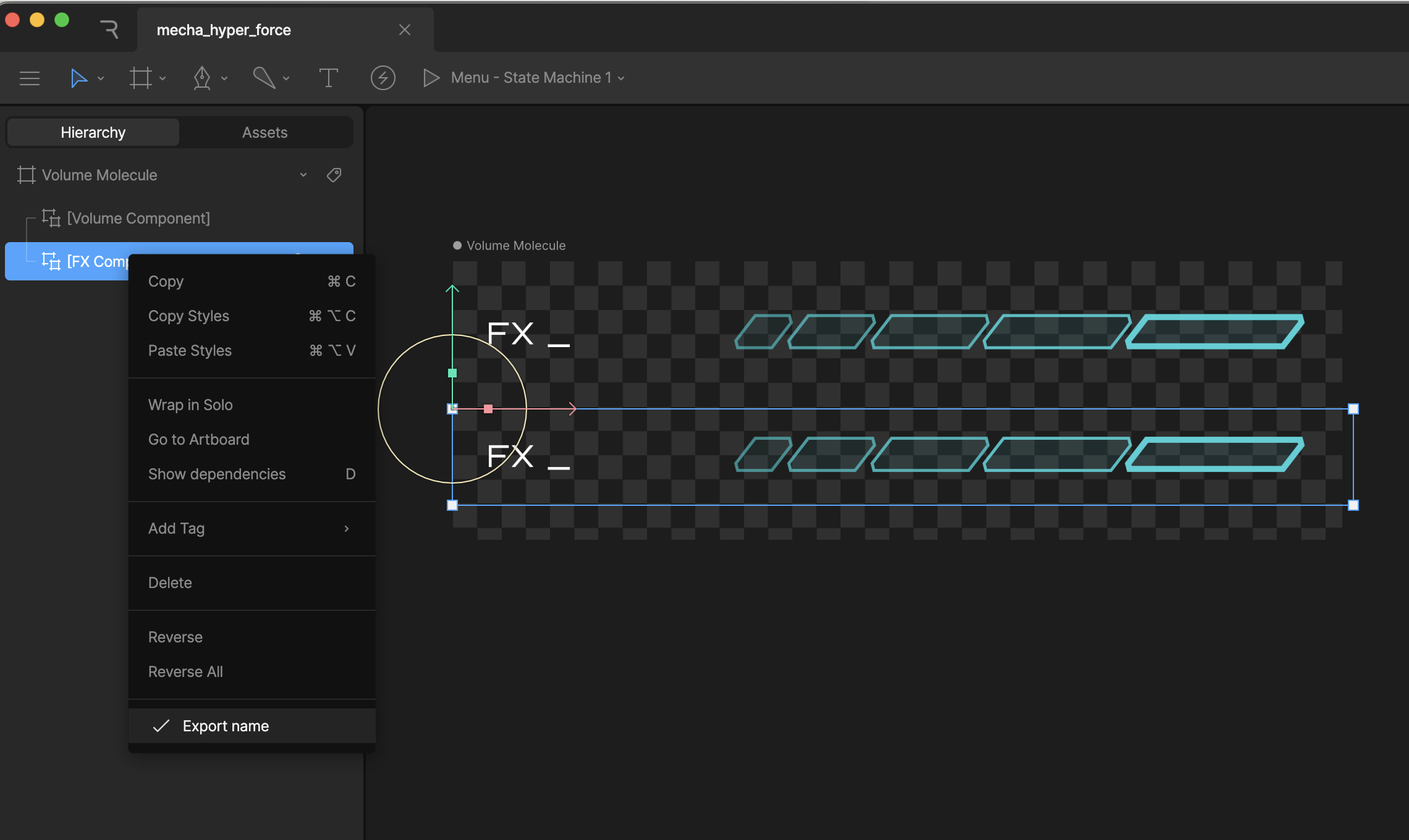
If you load in the **Menu** artboard at runtime, and want to get/set an input on the `FX Component` artboard, the path will be `Volume Molecule/FX Component`
Do not use `/` in the name for your components, as that will break the search
functionality at runtime.
To set the **Volume** input for the above example:
```swift theme={null}
@StateObject private var riveState = RiveViewModel(fileName: "file_name", stateMachineName: "StateMachineName")
...
riveState.setInput("volume", value: 80.0, path: "Volume Molecule/Volume Component")
```
**All options:**
* `setInput(_ inputName, value: value, path)` where `value` can be a `Bool`, `Double`, or `Float`
* `triggerInput(_ inputName, path: path)`