> ## Documentation Index
> Fetch the complete documentation index at: https://rive.app/docs/llms.txt
> Use this file to discover all available pages before exploring further.
# Text
> ⚠️ DEPRECATED: Use Data Binding instead of direct text run manipulation at runtime
export const Apple = {
currentRuntimeName: "New Runtime",
legacyRuntimeName: "Legacy Runtime"
};
This deprecated feature is only supported in the Legacy Runtime, not the {Apple.currentRuntimeName}.
**DEPRECATION NOTICE:** This entire page documents the legacy Text
manipulation system. **For new projects:** Use Data Binding instead. **For existing projects:** Plan to
migrate from direct text run manipulation to Data Binding as soon as possible.
For more information on designing and animating Text, please refer to the editor's text section:
}
>
Information on designing and animating Text
## Read/Update Text Runs at Runtime
**⚠️ LEGACY CONTENT WARNING:** The following sections document the deprecated
Text manipulation system. **This content is provided for legacy support
only.** New implementations should use Data Binding.
If you intend to update a **text run** at runtime it's important to manually enter a *unique name* for the run in the editor:
And then export the name: **right-click** and select **Export name**
You can identify an exported component if it's surrounded by square brackets. This makes it possible for the run to be "discoverable" at runtime by its name. For more information, see [Exporting for Runtime](/editor/exporting/exporting-for-runtime).
**If the name is not set manually in the editor the name will not be part of
the exported *.riv* (to reduce file size).**
Text runs can also be updated on components at runtime, see [Read/Update
Nested Text Runs at Runtime](#read-update-nested-text-runs-at-runtime) below.
#### Reading Text
To read a given text run text value at any given time, reference the `.getTextRunValue()` API on the `RiveViewModel`:
```swift theme={null}
open func getTextRunValue(_ textRunName: String) -> String?
```
Supply the text run name and you'll have the Rive text run value returned, or `nil` if the text run could not be queried.
#### Setting Text
To set a given text run value at any given time, reference the `.setTextRunValue()` API on the `RiveViewModel`:
```swift theme={null}
open func setTextRunValue(_ textRunName: String, textValue: String) throws
```
Supply the text run name and a second parameter, `textValue`, with a String value that you want to set the new text value for.
If the supplied `textRunName` Rive text run cannot be queried on the active artboard, Rive will throw a `RiveError.textValueRunError` that you may need to catch and handle gracefully in your application.
#### Example Usage
```swift theme={null}
@State private var userInput: String = ""
@State private var rvm = RiveViewModel(fileName: "my-rive-file")
var body: some View {
VStack(spacing: 20) {
Text("Enter text:")
.font(.headline)
TextField("Enter text...", text: $userInput)
.textFieldStyle(RoundedBorderTextFieldStyle())
.padding()
.onChange(of: userInput, perform: { newValue in
if (!newValue.isEmpty) {
try! rvm.setTextRunValue("MyTextRunName", textValue: userInput)
}
})
rvm.view()
}
}
```
## Read/Update Nested Text Runs at Runtime
**⚠️ DEPRECATED FEATURE:** Nested Text Runs are part of the legacy Text
manipulation system. **Use Data Binding instead** for controlling component
text properties at runtime.
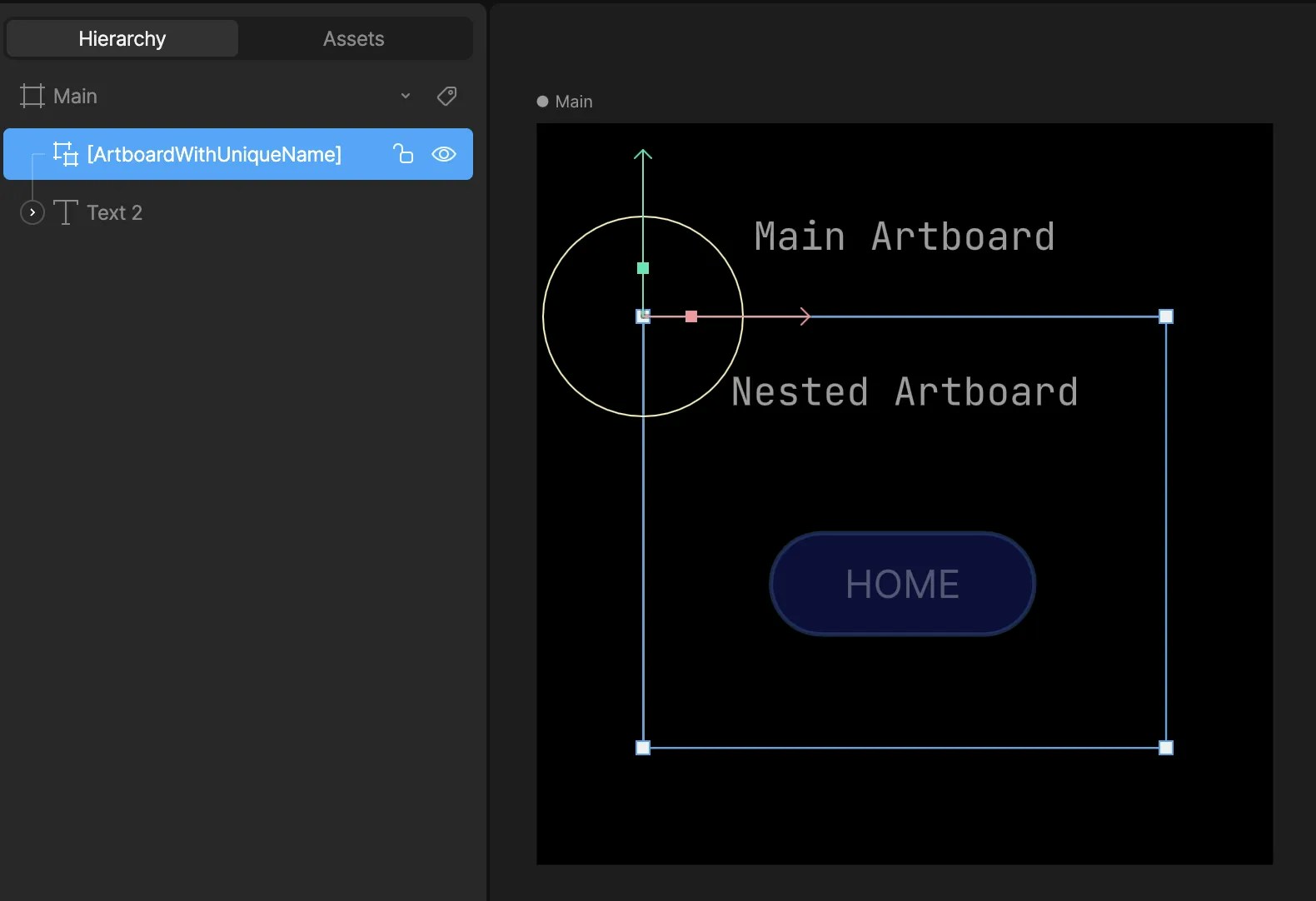
It's possible to set nested text runs at runtime—text that is not on the main artboard but on a [Component](/editor/fundamentals/components). To set a nested text run, you'll need to take note of the path where the input exists at an artboard level.
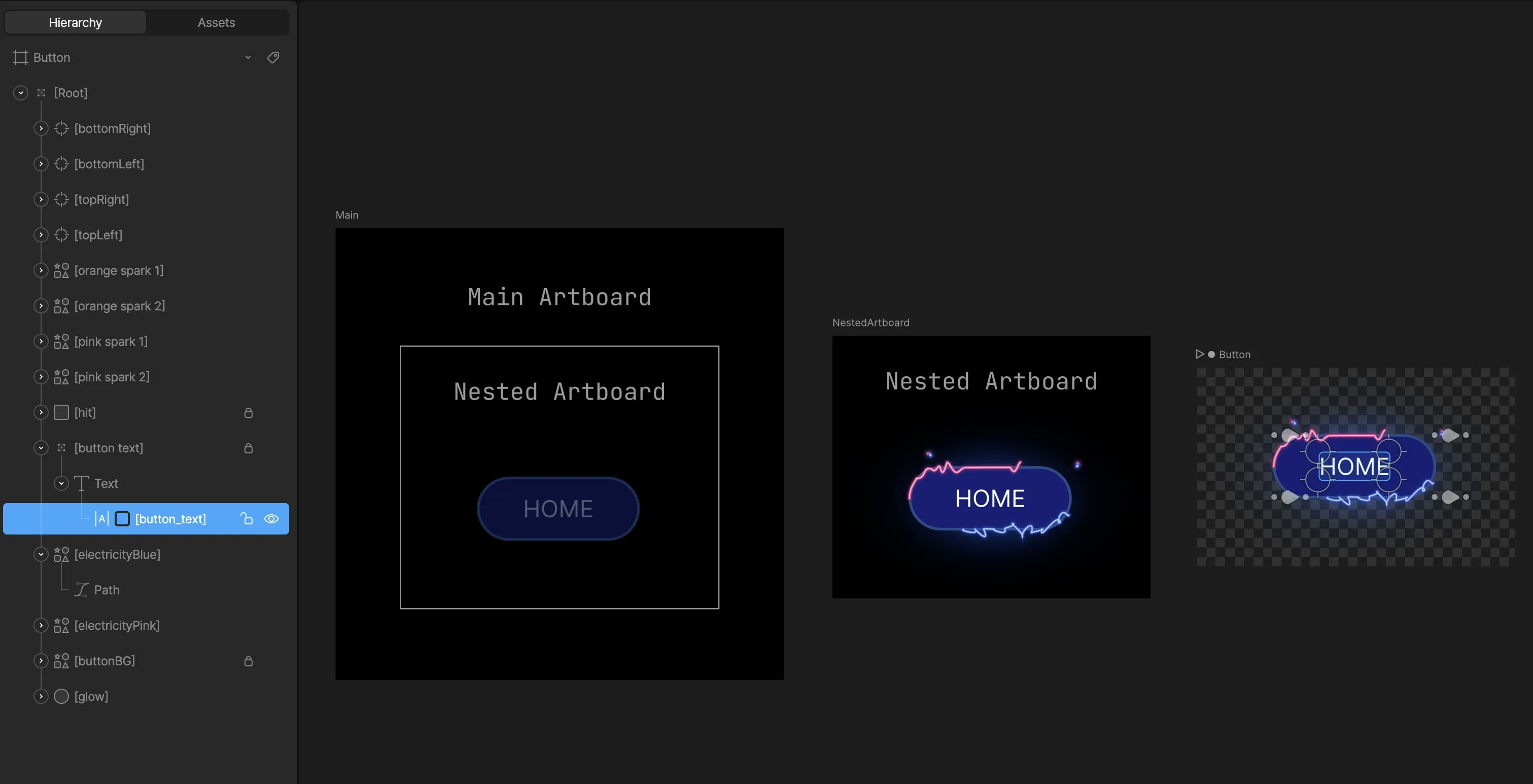
For example, to get/set the text run named **button\_text** on the **Button** artboard, you need to provide the correct path.
*Setting Nested Text Runs*
The artboard names here are:
* **Main** -> **NestedArtboard** -> **Button**
However, the path is determined based on the names set in the hierarchy:
* **ArtboardWithUniqueName** -> **ButtonWithUniqueName**
The path is then: `ArtboardWithUniqueName/ButtonWithUniqueName`
Be sure to mark the components and text runs as exported.
*Export
component name*
Do not use "/" in the name for your components, as that will break the search
functionality at runtime.
### Reading Text
Similar to [reading text from a text run within a parent artboard](#reading-text), you can set the value of a text run within a component instance using the following API:
```swift theme={null}
open func getTextRunValue(_ textRunName: String, path: String) -> String?
```
### Setting Text
Additionally, similar to [setting text within a parent artboard](#setting-text), you can read the value of a text run within a component instance using the following API:
```swift theme={null}
open func setTextRunValue(_ textRunName: String, textValue: String, path: String) throws
```
### Example:
```swift theme={null}
@State private var userInput: String = ""
@State private var rvm = RiveViewModel(fileName: "my-rive-file")
var body: some View {
VStack(spacing: 20) {
Text("Enter text:")
.font(.headline)
TextField("Enter text...", text: $userInput)
.textFieldStyle(RoundedBorderTextFieldStyle())
.padding()
.onChange(of: userInput, perform: { newValue in
if (!newValue.isEmpty) {
try! rvm.setTextRunValue("MyTextRunName", textValue: userInput, path: "Artboard/NestedArtboard")
}
})
rvm.view()
}
}
```
### Semantics for Accessibility
Rive now supports screen readers through semantics.
See the [Semantics](/editor/accessibility/semantics) documentation for current guidance.
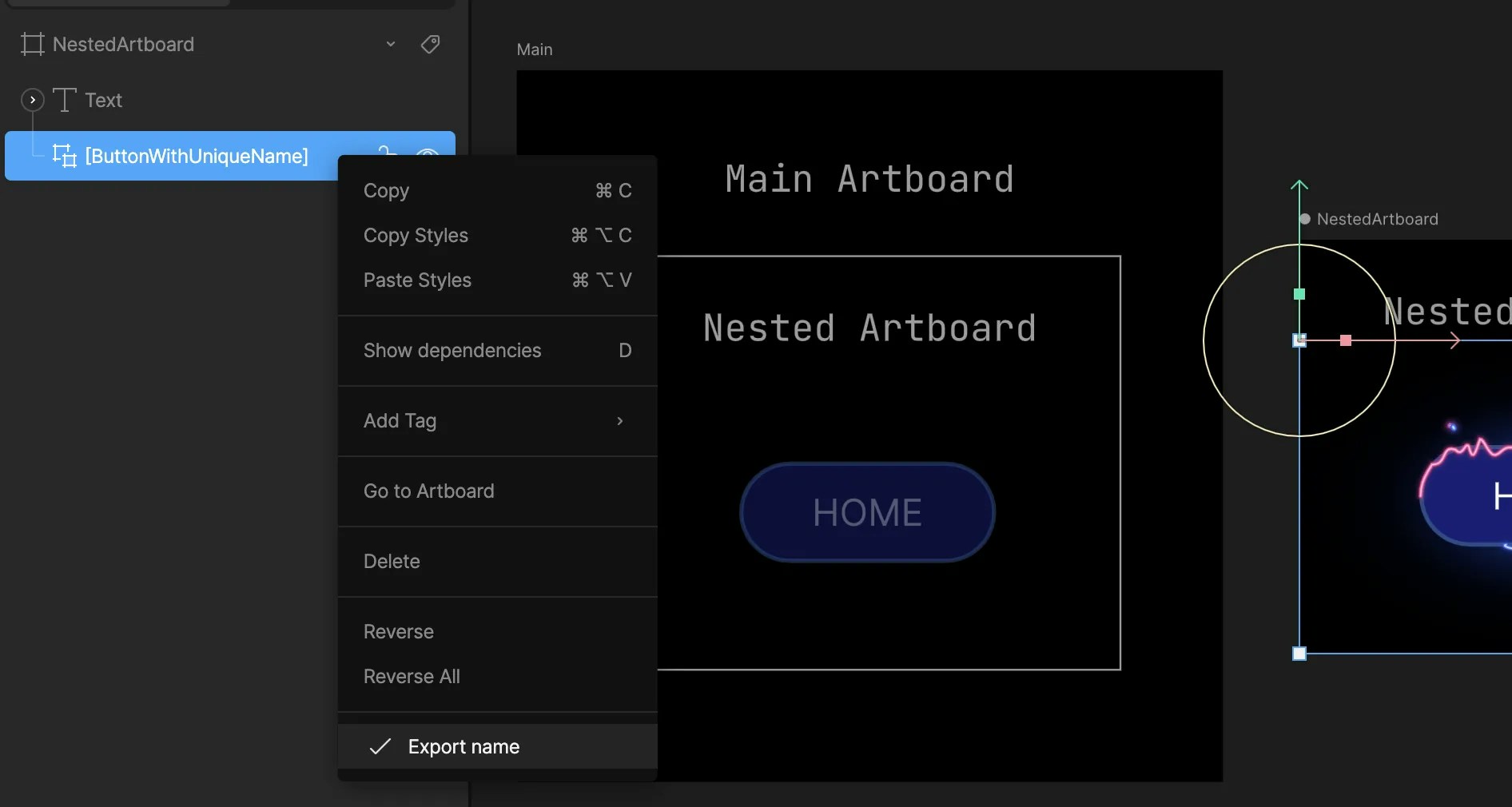 *Export
component name*
*Export
component name*
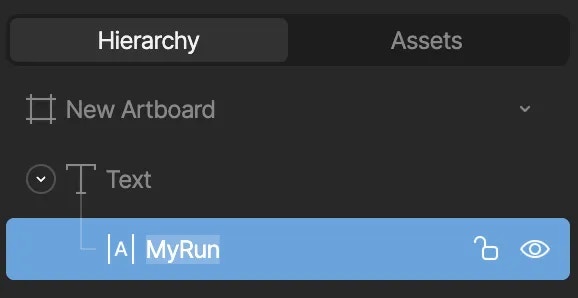 And then export the name: **right-click** and select **Export name**
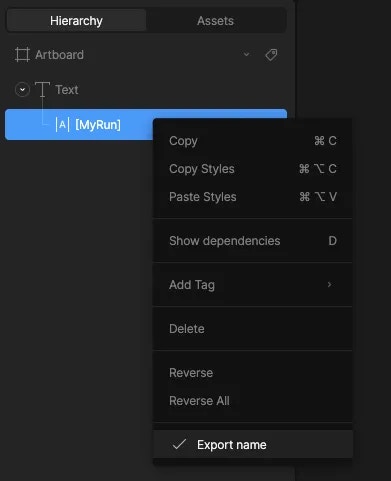 You can identify an exported component if it's surrounded by square brackets. This makes it possible for the run to be "discoverable" at runtime by its name. For more information, see [Exporting for Runtime](/editor/exporting/exporting-for-runtime).
 *Setting Nested Text Runs*
The artboard names here are:
* **Main** -> **NestedArtboard** -> **Button**
*Setting Nested Text Runs*
The artboard names here are:
* **Main** -> **NestedArtboard** -> **Button**
 However, the path is determined based on the names set in the hierarchy:
* **ArtboardWithUniqueName** -> **ButtonWithUniqueName**
The path is then: `ArtboardWithUniqueName/ButtonWithUniqueName`
However, the path is determined based on the names set in the hierarchy:
* **ArtboardWithUniqueName** -> **ButtonWithUniqueName**
The path is then: `ArtboardWithUniqueName/ButtonWithUniqueName`